Showing posts with label REVIEW. Show all posts

NOKIA N86 REVIEW

NOKIA N86 REVIEW:  “MOBILE IMAGING REVOLUTION”


N86 Package Contents:

-    Nokia N86 Phone
-    1200 mah Battery
-    USB cable
-    Charger
-    Stereo “IN EAR” Headset (3.5 mm)
-    Remote/ Adapter
-    User guide + Warranty + OVI Registration


Device Tour:

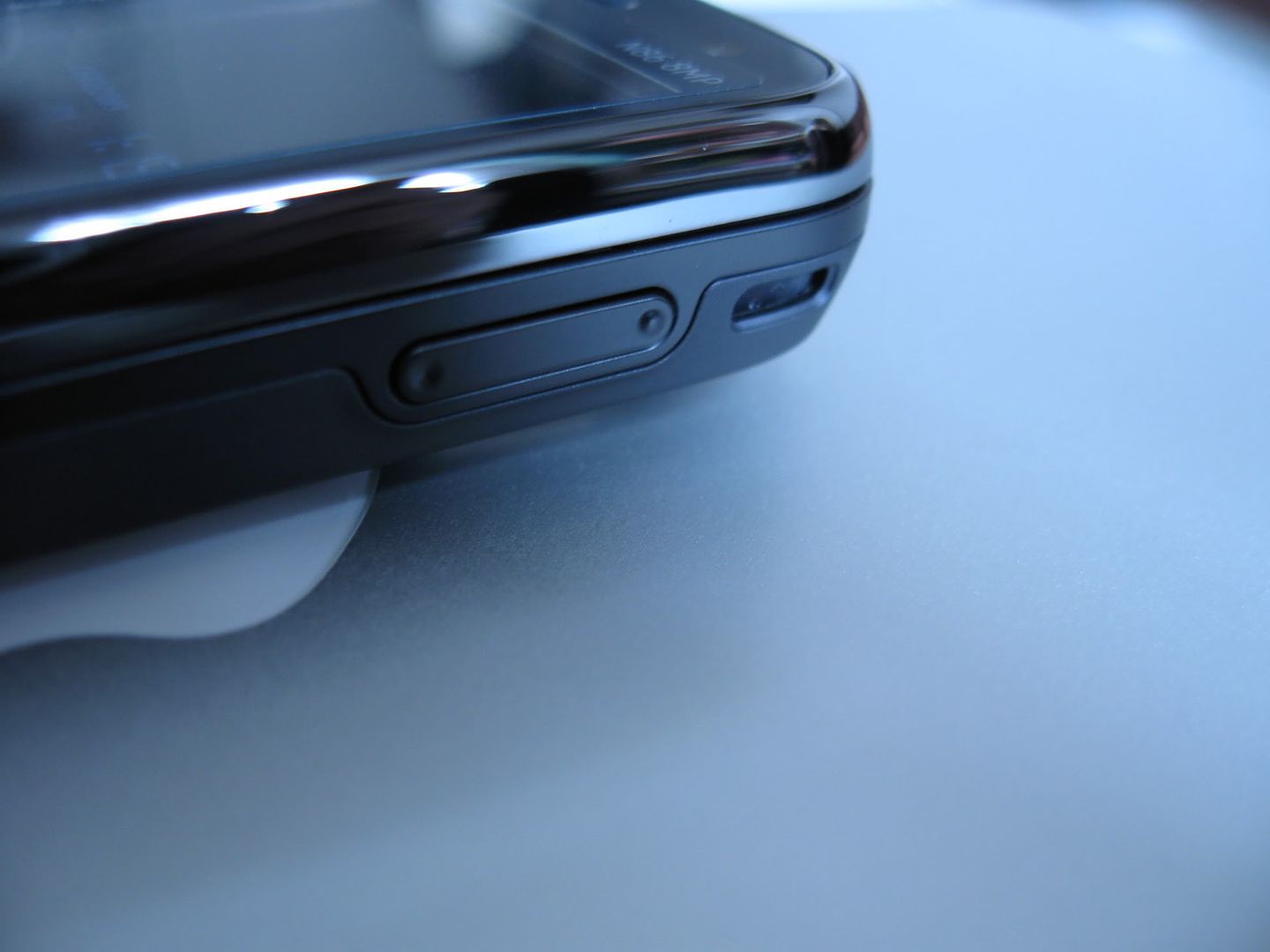
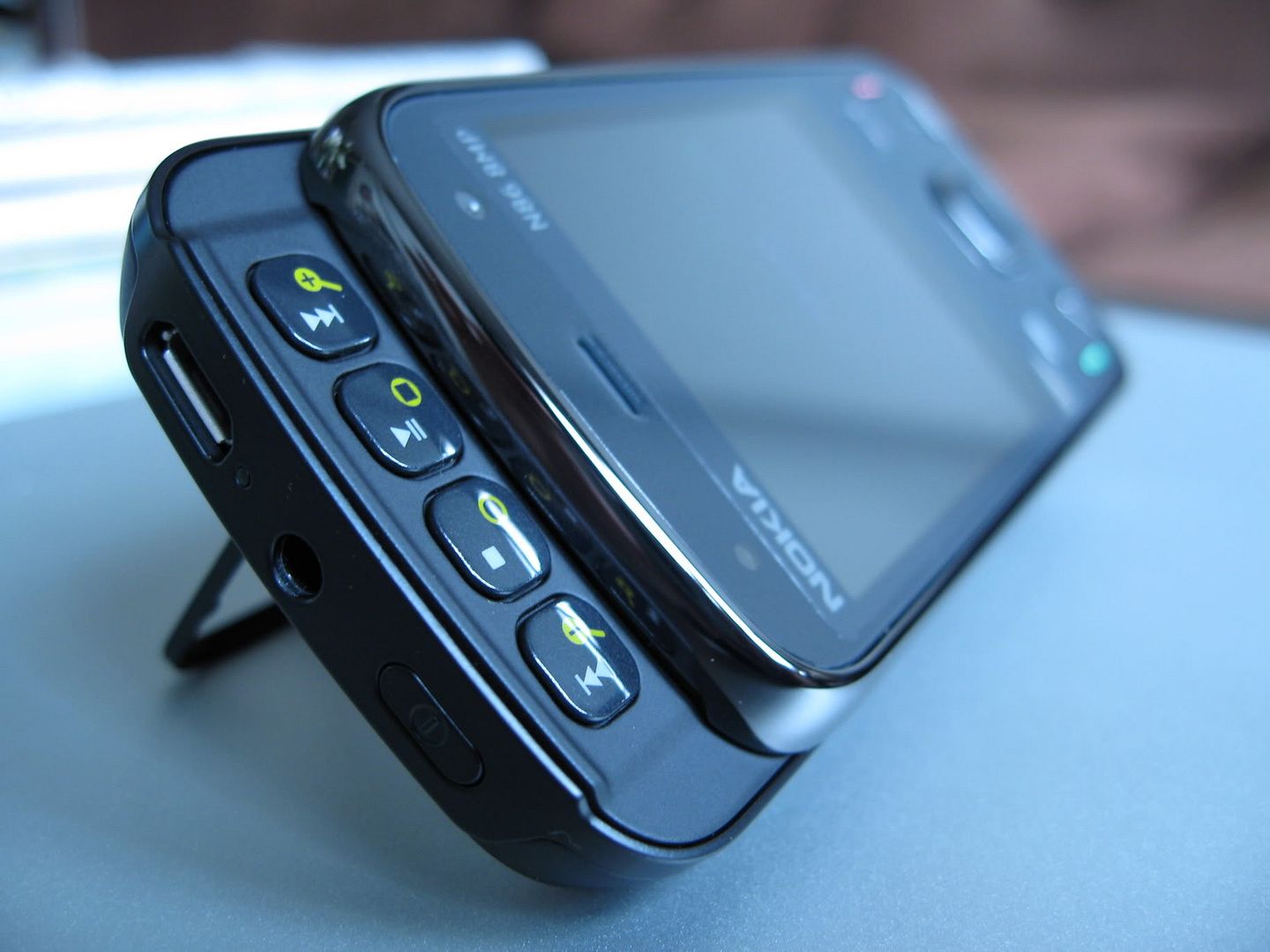
Top: Power Button, 3.5 mm Jack, USB/ Charging Port.
Left: Key Lock Toggle.
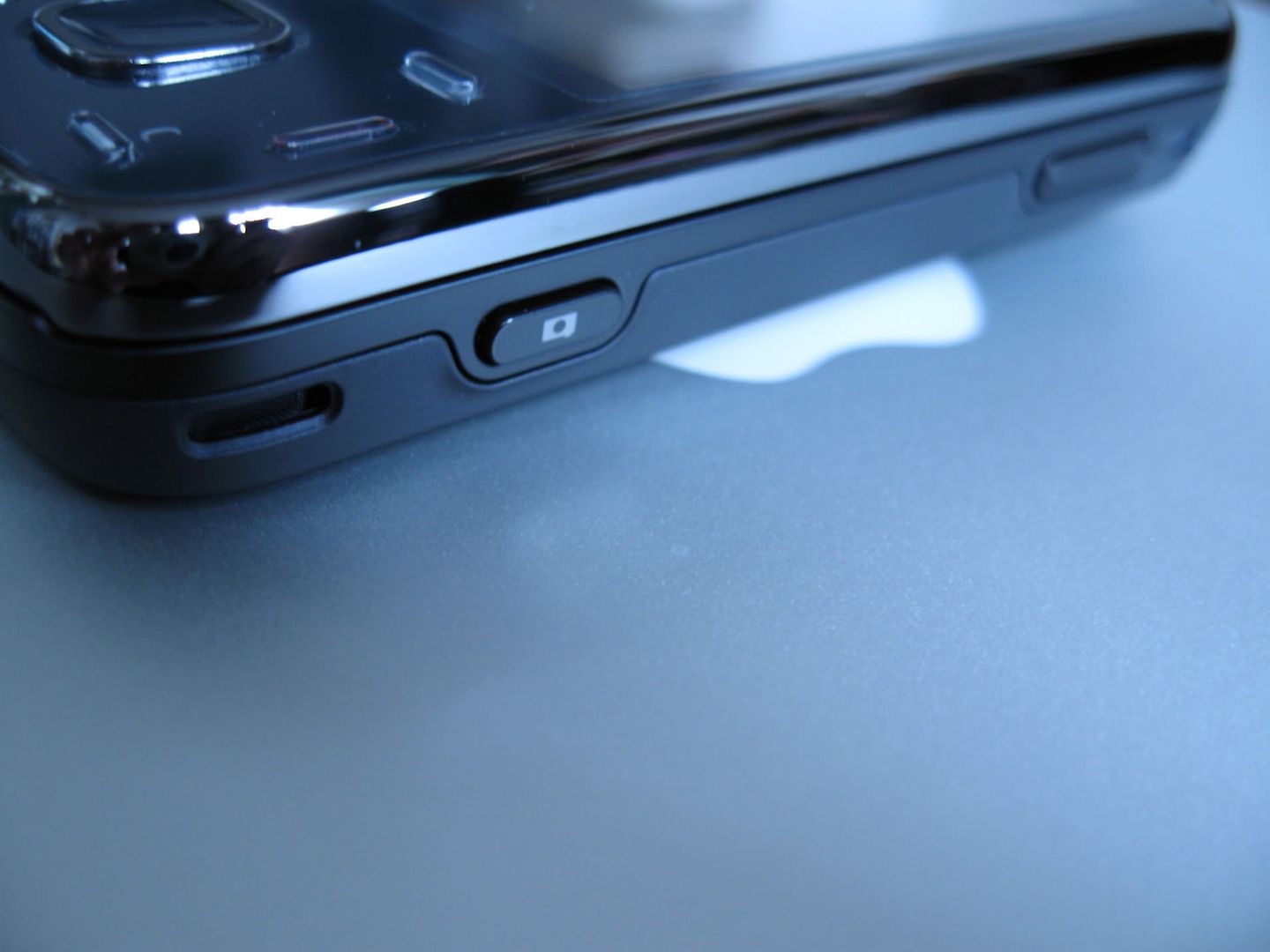
Right: Stereo Speaker #1, Volume Toggle, Camera Key, Speaker #2
Bottom: Lanyard holes.
Back: 8mp Carl Z. Camera, Dual LED Flash, Kick Stand.

Device Gallery:


Design:

   The N series gadgets of the past have been plagued with reports of build quality issues and shoddy craftsmanship. In effect, the engineers over at Nokia have been staging a revolution which comes in the form of their latest flagship device – The N86.  The N series revolution begins with the use of exotic components such as a tempered glass overlay which protects the 2.6 inch Active Matrix Organic LED (AMOLED) display.  The glass is beset by a stainless steel bezel creating a juxtaposition of contrasting textures. Emerging from the glass face of the device is a chromed directional pad and hardware keys to match the lustrous bezel.  Beneath the vivid display is a dual slider mechanism constructed from alloy.  The slide’s assembly has been fine tuned over the years and now glides open with out a hitch to reveal an alpha numeric keypad.  The display can also be slid in the opposite direction to uncover media centric keys. The back of the device is dominated by a large battery door which has a matte plastic finish.  The N86 weighs in at a welcomed 149 grams due to the extensive use of metal components. Overall this device feels great in hand but all is not perfect as there is a millimeter of give between the two halves of the slider and the occasional creak which detracts from the otherwise brilliant construction.


Display:

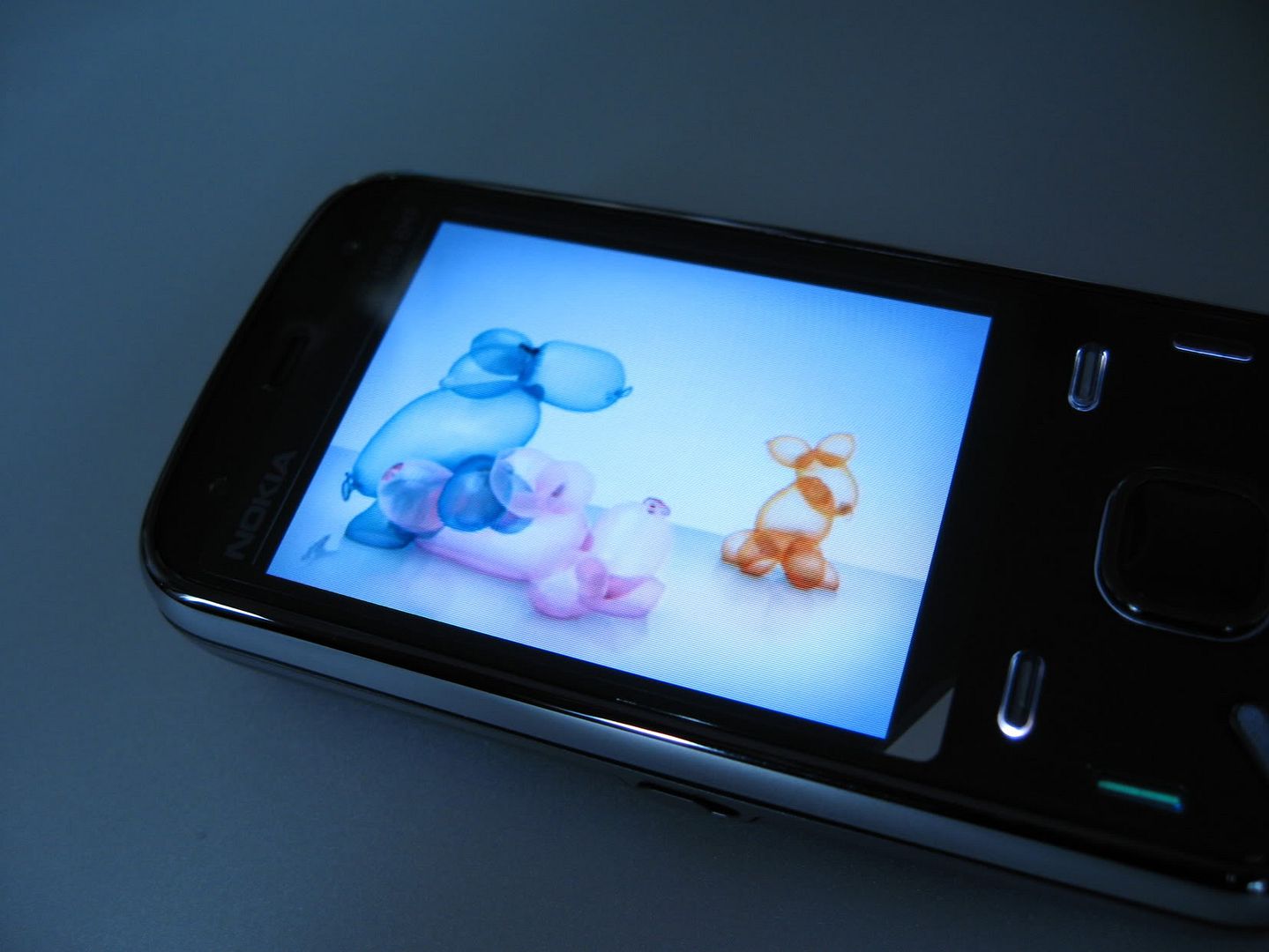
   The revolution continues in what many believe to be the single most important factor when purchasing a media centric device – the display.  The N86 comes equipped with a 2.6 inch AMOLED display that allows for a greater range of colors, faster response time, greater energy efficiency, and thinner construction than traditional LED screens.  The result is an augmented user experience even when engaged in the most rudimentary of tasks such as navigating through menus or browsing through files.  The menu characters pop out to an almost 3D effect because AMOLED displays are 20% brighter than traditional displays and also because the said displays produce a more true to life black color.  The only disadvantage is the over all screen size which is too small for web browsing and requires an extensive use of the D-pad for scrolling and superfluous squinting.  Outdoor usage does not present a problem as screen brightness can be increased to counteract the overbearing sun.


Camera:

      In an ideal world the Nokia N86 would have a glass camera lens, a top of the line CCD sensor, and a xenon flash.  However the inclusion of such components would significantly drive up the price of the device as well as become a burden in size.  In tackling the problem of picture quality the engineers over at Nokia decided to change the imaging game by focusing on reformulating the algorithms used in image processing as well as adding in an 8 mega pixel sensor.  The results are revolutionary.  Below is 5th Avenue through the lens of the Nokia n86.


     The pictures have been resized but accurately represent the advancement Nokia has brought to mobile optics.  We can also commend Nokia on camera processing speed.  There is only a 0.5 second delay between the time a photo is snapped and when the image preview is displayed – now that is fast.  Blurry images due to movement are always a problem in dealing with camera phones but the ultra fast mechanical shutter aids in reducing such unwanted photographs. Another problem is grainy pictures due low light situations but as we can see from the images above, the N86 deals valiantly thanks to a dual led flash.  Unfortunately the flash is too strong when taking macro shots as some of the colors are washed out. The N86 is also equipped with 20x digital zoom but at max capacity pictures require a very steady hand. Any camera enthusiast would enjoy the host of camera setting the n86 offers including red eye reduction, scene selection, photo editor etc...  The video player is not shabby either with recording at 30 frames per second.


Multimedia:

     There is no doubt that the N86 is a true multimedia power house. Just insert your favorite stereo headphones and enjoy the acoustic escape provided by the latest contemporary artist.  With 8 gigs of included flash memory and the option to expand through an SD card slot you will never have to worry about listening to the same track twice.  The N86 plays a variety of file types including the more popular mp3 and WMA formats.  If you want to share your tunes at the office, just hit play and let the stereo speakers wow the audience.  Although the stereo speakers are loud, they lack bass and sound a bit tiny when playing certain songs.  Fortunately the N86 gives the added option of an FM transmitter.  This allows users to take over the nearest radio and playback through its speakers with a completely static free broadcast.  Video playback is also possible but you will first have to convert your files to either mp4 or 3gp formats.  Once again the display might detract from the movie playback experience but you can always display video on your TV or monitor via a video out cable.  The native s60 browser gives you the web at your fingertips and includes flash so you can enjoy the actual YouTube site and not have to settle for the mobile version.  The browser has been supercharged for faster speeds and ultra quick page renderings.

   
Connectivity:

     One of the reasons the Nokia N86 and its s60 (3rd edition fp2) UI is so enticing is the connectivity options.  In order to elaborate we will present a situation not uncommon to the average businessman – Mr. Smith. In this situation Mr. Smith has been working hard on a Power Point presentation that is due the next morning.  He drags the presentation into his thumb drive and emails it to himself as a fail safe.  The next morning Mr. Smith wakes up late and in a rush leaves his thumb drive at home.  He realizes after he arrives at the office and there is only 10 minutes before the presentation is due. His laptop at the office is not booting up and panic ensues.  Luckily Mr. Smith has his trusty Nokia N86.  Smith turns on the WiFi and downloads his presentation to his phone. He opens the presentation using the included documents viewer software.  Now, how to connect to the projector?  Mr. Smith remembers that the N86 has video out capability but no A/V cable in sight.  He then attempts to connect his N86 to the office projector via DLNA but to no avail – the projector is old.  Finally Mr. Smith uses Bluetooth to connect to the projector and streams his presentation directly from the job saving N86.


Usage:

   A phone is a phone first and everything else comes second.  Fortunately the N86 performs brilliantly as a phone.  The reception is on par with most Motorola handsets which many regard as best in class when it comes to Rf.  Voices are loud and clear with no static or interference. In noisy environments, speakerphone is a must or you can always pop in your stereo ear buds.  Talk time is rated at about 6 hours but this always depends on location.  The N86 comes equipped with a 1200 mah battery that lasts about 2 days with heavy usage on a GSM network. This includes about 15 – 20 minutes worth of calls, 3 hours of music playback, 40 – 50 photos, 20 – 30 texts, and about 30 minutes of web browsing.

Conclusion:

    Ultimately the Nokia N86 is a great phone with good build quality and an unparalleled camera. This device is just the beginning of what is to come from the Finnish manufacturer. The N86 is not perfect but we are promised continued support including an upcoming firmware update which will improve camera a functionality and your run of the mill bugs. One thing that is missing from the N86 is the newer generation of 600 mghz processors. The inclusion of such a processor would increase software performance in areas such as the photo browser and transition effects. Despite the slower processor, the N86 is a must buy.  


Summary:

(+)  AMOLED Display
(+)  Metal, Glass, and Plastic Construction
(+)  8 MP Camera
(+)  Photo Quality
(+)  Battery Life
(+)  FM Transmitter
(+)  Connectivity
(-)  Display Size
(-)  Stereo speakers sound tiny
(-)  Processor speed
(-)  Cheap kick stand

HTC HERO REVIEW: "KRYPTONITE"

HTC HERO REVIEW: "KRYPTONITE":

Introduction:

- In a market flooded with smart-phone monotony a Hero arises in attempt to save users from the status quo. The Hero is manufactured by HTC and comes equipped with a myriad of features including a large 3.2 inch capacitive touch display, a capacious 1350 mAh battery, 3.5 mm stereo jack, a 5 megapixel auto focus camera, and a ground breaking SENSE UI layered over the celebrated Android OS. Unfortunately this Hero has its Kryptonite.

Box Contents:

- HTC HERO
- Battery
- USB Cable
- Universal Charging Plug
- Stereo Headset
- 2Gb micro SD
- Warranty
- Guide


Gallery/ Device Tour:


Design:

- Forgoing the traditional route of flamboyant superhero attire which requires the layering of underwear over tights, HTC outfitted the Hero with its own eye catching costume. The inimitable design manifests itself through a combination of old and new as the Hero’s overall architecture resembles that of a retro style cordless phone furnished with a modern capacitive touch screen and a contemporary slim line casing (112 x 56.2 x 14.4 mm). Finished in mostly matte white plastic, the phone repels fingerprints with a Teflon coating. The display is secured with a brushed aluminum rim which extends around the main hardware buttons situated on the ventral side of the device. In total the device feels good in hand with no loose parts to mar the mono-block construction. The weight of the device (135 grams) is on the lighter side as I prefer a heftier mobile. The inclusion of a metal back panel would have added to the overall quality and robustness of the device. In scrutinizing the battery cover my suspicions were raised as to its longevity due to the use of a sub par latch mechanism that would probably deteriorate over time. However if you do not constantly remove your battery cover to acess the Micro SD card, then this is a non issue. The angled chin of the phone houses a plastic trackball which is totally useless in the operation of this device. In fact, the removal of this trackball in conjunction with the chin would have made for a more compact phone – albeit the consequential loss of distinct design. On a positive note the chin itself, due to its angled nature, functions in protecting the display when propping the phone face down on a counter top. It also aids in a stealthy removal from a leather pouch.

Display:

- The Hero touts a generous 3.2 inch (320 x 480 pixels) capacitive touch screen display. With maximum screen brightness the Hero fairs well in most lighting conditions except direct sunlight. In effect users will want to find some shade when tinkering with their devices at high noon. The capacitive screen works flawlessly and its responsiveness is on par with my ipod touch. Needless to say, double taps are non existent.


UI:

- HTC has done it again. Following their ingenious conception of TF3D which was a svelte UI layered over the ghastly looking Windows Mobile interface, HTC has now created a ground breaking SENSE UI. This interface layers over the highly coveted Android operating system to make for an unparalleled user experience. For descriptive purposes we can separate the two components of this interface in to the X and Y dimensions found on a graph. The X axis consists of the core Android UI that props up an iconic menu screen in a vertical directionality. Operating in the horizontal direction along the Y axis is the Sense UI which allows up to seven home screens. Each home screen is customizable with HTC widgets and or Android widgets. Instead of boring you with words I have uploaded the following video (after the pictures) to show case the versatility and robustness of the Sense UI.


- Unlike many biased reviews that have criticized the Hero for having preproduction software – my experience was near flawless. There are absolutely no freeze ups, reboots, and memory errors. I only experienced lag when powering up the device. This hiccup is miniscule and only lasts a couple of seconds where after the processor revs up and the Sense UI flows like the Orinoco.

Multimedia:

- The Hero is a multimedia device offering a gamut of features which are only surpassed by Batman’s utility belt. Included in the multimedia arsenal are an intuitive photo browser, flawless video payback, GPS, a no frills music player, Android market, google maps, and an unmatched web browser. Bluetooth is severely compromised as it can only be used with a peripheral (headset). For some unexplainable reason Bluetooth file transfer between devices is unsupported. Fortunately this is where the Android market comes into play. This market offers applications for everything you would ever need on a mobile phone – including a full featured Bluetooth app. The market also saves the music player; currently lacking equalizer settings and base control; with a full array of MP3 playback controls. In fact the market offers alternate music players, allowing the user to define the extent of functionality not only with music playback but also the look and feel of the player. Another interesting application is the Task Killer, which allows you exit any unneeded processes running in the background. The result is more - free RAM to use other utilities like the true gem stone of the device – the web browser. Surfing the net is a joy with page renderings equal to those found on a desktop. Navigation is a breeze thanks to multi touch and finger friendly gestures. My only gripe is the extensive use of hardware keys during web browsing and would have hoped for more software centric controls.

Camera:

- The 5 megapixel auto focus camera is great for snapshots on the go. But the lack of a flash makes the camera useless in low light conditions. Regrettably the pictures still pale in comparison to image centric devices such as the Nokia n86 and n82.

Battery/ Usage:


- A capacious 1350 mAh battery powers the Hero for a full day and a half of heavy usage. This includes 2-3 hours of music playback, 40-50 texts, brief video playback, 1.5 hours of web browsing, and 15 – 20 minutes of calls. This is definitely on par with the battery life you would get from most Nokia phones and the Hero has the added power consuming -dual layered user interface and capacitive touch display to deal with. The only major draw back is the charge time. Analogous to other HTC mobiles, the Hero requires a full three hours for a complete charge.

Kryptonite/ Conclusion:

- With out a doubt, the HTC Hero is the most complete device I have used to date. Regrettably HTC opened a lead Box and unveiled that glowing green rock which brought my device to its knees. Two weeks into enjoying the Hero, the backlight for the hardware keys as well as the status indicator light ceased to function. In addition the headset jack failed leaving me with no music. To my disappointment, a soft – hard reset did not bring my device back to full functionality. In researching my problem I discovered that this is a common defect on the device– as documented on www.xdadevelopers.com. Ultimately I would instruct users on holding off on the purchase of this mobile phone until HTC works out the problem.

Pros (+)/ Cons (-):

+ Capacitive Touch Display
+ Good Battery Life
+ Sense UI
+ Android Market Apps
+ Excellent Web Browser
- Obvious Manufacturing Defect!!!
- Questionable Battery Cover Durability
- Bad External Speaker

NOKIA E75 REVIEW:

NOKIA E75 REVIEW:
"A KNIGHT IN THE E-SERIES KINGDOM"

BOX CONTENTS:


- Nokia E75
- Battery
- Mini Charger
- 4 GB Micro SD
- USB Cable
- Suede Case
- Wired Stereo Headset
- Manuals


DEVICE 720
:


- TOP: 3.5 mm stereo jack.
- LEFT: USB Port, Micro SD slot.
- RIGHT: Volume Toggle, Camera Key.
- BOTTOM: Charging socket.
- BACK: Camera, Flash, Mirror, Speaker, Battery Door.

INTRODUCTION:

- First and foremost I would like to thank the staff over at WOMWORLD for their generosity in allowing me to trial a Nokia E75. I was advised to be as honest as possible in detailing my experience with the device because, “This insight is pivotal in helping shape future products, initiatives and approaches”.
- My initial interest in the device was sparked by a user over at HowardForums.com who claimed that the E75 was a successor to the E90. Immediately my expectations were raised as I was hoping to review a device which would depose the long reigning king of smart phones. Upon receiving the E75 and putting it through its paces I decided not to do a comparative review as the loaner Nokia is at best a capable knight in relation to the king. Instead we should look at the E75 as an E71 with an alternate form factor.


DESIGN:

- The Nokia E75 brings forth all of the attributes required to make a stunning handset. The front face of the device is outfitted with a steel bezel which has a robust shine due to the slick chrome finish. The back of the device has a matte gray- smoked steel battery door adorned with a laser engraved wave pattern that functions to enhance grip. The battery cover fits securely in its' metal guides thus eliminating any potential for dissonant creaks. All of this steel adds a nice weight to the device (139 grams), giving the impression of a durable and luxurious item. Hiding beneath the screen is a full QWERTY keyboard that glides down with an auto-finish apparatus. The mechanism of the slide is buttery smooth and never falters in operation. One can say with certainty that the slide apparatus would last the life time of the product. Given all that has been said about the quality of the E75, there is a minute flaw that takes away from the exceptional build of the device – the keys. The menu keys and D- pad on the device are atrocious. The menu buttons are angled and thus wobble when pressed. Even more annoying is the squeaking directional pad which I believe is just an aberration on my test model . On a positive note, the directional pad contains a white back light that breathes on and off under normal circumstances and doubles as a notification light (quick blink) when a message is received – very nice touch NOKIA. The alpha numeric keypad is optimal in design and was a joy to use.


- The backlit QWERTY keyboard is made of matte black plastic and is quite compact. The major upside is that the keys are nice and big with a decent amount of travel on press. The silky smooth surface of the keyboard allows your finger to glide from one letter to the next with ease. Unfortunately the keys are completely flat and sometimes indistinguishable. A great amount of concentration is definitely required when typing. Directly in the center, between the TGB/YHN letters, lays a thin metal strip which seems to be a part of the slider apparatus. This strip actually functioned quite nicely as a partition between the said keys and would have been an ingenious vertical separator if it were placed between all the keys – allowing for mistake free typing. Despite the un-staggered form factor of the QWERTY it does not take long to get accustomed to the E75 keyboard (35- 40 minutes). Over all I would have preferred a larger keyboard - lengthwise. Of course this would result in a larger device but the overall ergonomics would have improved and there would have been a larger display to match.
- Just above the directional pad is a beautiful 2.4 inch, 240x320 pixels, 16M-color TFT display. The screen is nice and bright with good legibility in all conditions including bright sunny days. Nokia did a great job with the viewing angle as this makes for comfortable usage in various positions. My only grievance is the screen size which takes away from the web browsing experience. In a perfect world the screen would extend from edge to edge – preferably touch screen, but maybe that is just the influence of the upcoming N97 talking.

S60 FP2/ MENUS:


- Glaring at the screen it isn’t hard to notice that the icons have received an upgrade in design from the E71. This can be attributed to the phone’s UI which is S60 3rd edition, FP2. The high resolution icons in combination with a snappy UI make for an enhanced user experience. There is absolutely no lag in functionality even with a great amount of stress applied to the system. For example, I can run the music player in the background and surf the internet (multiple windows open) with out any slow down or resets. For the most part S60 is intuitive which is nice but certain settings are hidden. One such setting is the accelerometer/ auto rotate setting. In order to turn auto rotation off you would think to just go to control panel > settings > personalization > general > display, but you would not find it there. Instead you must first flip the phone into landscape mode and then fallow the usual procedure – tah dah the setting magically appears.
As a business device the E75 excels with the normal compliment of E - commerce tools such as Quick Office. This utility allows you to view and edit common documents (WORD, EXCEL, POWERPOINT, and PDF files). We also get a very useful converter app which is great when traveling abroad. It allows you to convert between different units of measurement, currencies, power, etc… Of course businessmen also like to enjoy relaxing and the E75 provides a utility that allows you to switch between business and leisure modes. This transition not only changes your wallpaper from a professional theme to a more relaxed theme but also enables a full media player.

MULTIMEDIA:


- Nothing beats laying back and listening to some tunes after a long day’s work. Luckily, the E75 delivers a pleasurable sonic experience. There is no need to carry an extra mp3 player as the one provided is comparably equipped with various equalizer presets and bass boost to satisfy your temporal lobe. Even more pleasing is the inclusion of a 3.5mm headset jack that allows you to use the best pair of headphones money can buy. This miniscule feature is a godsend because no longer do you have to search for a decent converter or kick yourself in the head when forgetting to bring one along on a trip. Nokia was generous enough to include a 4 GB micro SD card (expandable up to 16 GB), eliminating any storage woes one may have when uploading a large library of music. The multimedia player is also decent for video playback but you will have to convert the files to an acceptable frame rate and resolution. Once you figure out these settings, videos play smoothly without any choppiness. The screen size takes away from the video experience; so long movies will probably take a toll on your eyes.
- The s60 web browser is a joy to use no matter the device. I love the effects when flipping between previous and next pages, the mini map view, and the inclusion of flash for YOUTUBE. Once again the display size is a limiting factor but for checking Gmail, Hotmail, short YOUTUBE clips, and news updates – the E75’s web browser is great. I also love how easy it is to connect to hotspots via WIFI and the overall capability of the antenna to pull in a strong signal.


- Much like the E71, the Camera seems to be an afterthought. There isn’t much to say besides the fact that the inclusion of a flash was a great idea. One can only guess why such a crappy camera was included – however a bad camera is better than no camera. You can judge for yourself, here is a picture taken at night of a store window display.


POWER/ USAGE:

- Another area in which the Nokia E75 excels is the usage time. Originally I was upset that Nokia decided to include a lower capacity battery than the E71, but the 1000 maph worth of power provided does a good job and lasted me two full days with moderate usage. My definition of moderate usage is 15-20 texts, 20 minutes of phone calls, 2 hours of music, and 30 minutes of web browsing on WIFI. Having said that, I would prefer that all NOKIA devices start shipping with a 1500 maph battery for a full 5 days of moderate usage. Analogously the phone is a powerhouse in the Rf department. I was receiving a maximum signal deep inside a hospital where most other phones experience a "dead zone". The call quality was natural sounding and the volume through the ear speaker was loud and sufficient in noisy environments.

CONCLUSION:

- Outfitted in a strong metal shielding one cant help but award this the device the honorable position of a knight in the E-series kingdom of mobiles. The Nokia E75 is a versatile phone with a plethora of features but is currently selling for $450.00 USD. This price point is absurd and will weigh heavily on the consumer, especially when the E71 has a comparable set of features (sans 3.5 mm jack and S60 3rd edition, FP2) and longer battery life with a cost of only $299.00 USD. Ultimately the Nokia E75 is the perfect phone at a lower price point and a worthy alternative to the E71.

NOTE: At the time of this posting, Nokia released a $50.00 mail in rebate - further reducing the MSRP of this device to $399.00 USD. This is a good start.

PROS:

- SLEEK METAL BUILD
- NICE WEIGHT - BALANCED
- FULL QWERTY
- 3.5 MM HEADSET JACK
- ENHANCED UI MENU ICONS
- SOLID SLIDE MECHANISM
- GOOD BATTERY
- SWISS ARMY KNIFE LIKE FEATURES

CONS:

- SQUEAKY DIRECTIONAL PAD
- DISPLAY SIZE
- PRICE